 Tungs
TungsReal-time call translation inany app
Speak your language, they hear theirs.
macOS 14 or later
-
STEP 1
Set the two languages
Pick your language and theirs, then the microphone and headphones you actually use.
-
STEP 2
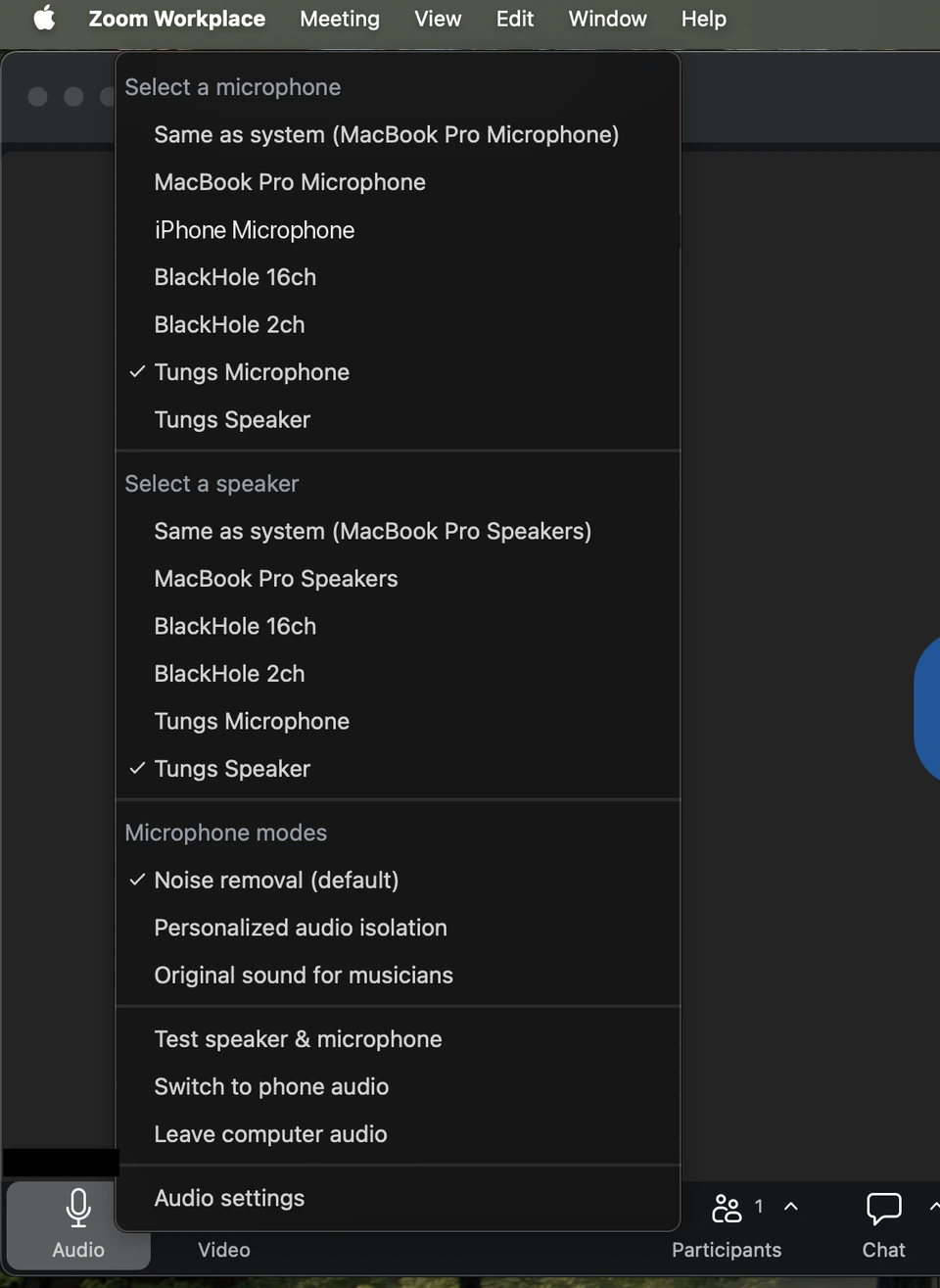
Select Tungs in your call app
In Zoom, Meet, Teams or FaceTime, set the microphone and speaker to Tungs.
-
STEP 3
Talk normally
You speak yours, they hear theirs, and back again — both directions at once, no turn-taking.
13 languages — English, Spanish, Portuguese, French, German, Italian, Japanese, Korean, Chinese, Russian, Hindi, Indonesian, Vietnamese — with the spoken language detected automatically.
Setup guides: Zoom Google Meet Teams Webex FaceTime WhatsApp Discord
- Free to try. Your first 10 minutes are on us, no sign-up.
- Not a subscription. $19.99 buys 120 call minutes that keep for a year, or $49.99 a year licenses Tungs for your own OpenAI key with nothing to count. See pricing
- Mac only, on your side. Requires macOS 14 or later. The other person installs nothing.
What people use it for
Any call where the two of you do not share a language.
- Family abroadParents, grandparents and in-laws who never learned your language, and never should have had to.
- Someone you loveThe person you are with speaks another language at home. Now you can talk at the speed you think.
- Work across bordersStandups, reviews and one-to-ones with colleagues in another country, without everyone falling back to bad English.
- Customers and clientsSales calls, onboarding and support with people you would otherwise have to turn away.
- HiringInterview the person who is right for the job rather than the one who interviews best in your language.
- Contractors and suppliersThe factory, the builder, the agency. Details that matter, said properly, both ways.
What happens to what you say
Tungs sits in the middle of your phone calls, so this is a fair thing to ask first.
- Your call audio is never stored. It is not written to disk and not kept in a database. It is translated as it passes through, and then it is gone.
- Transcripts are not stored either, and nothing you say is used to train any model.
- Calls are recorded only when you press record, and the file lands in a folder on your own Mac. It is never uploaded.
- On the yearly license your audio never reaches us at all. It goes from your Mac straight to OpenAI on your own key.
Read the whole privacy page — it is specific, and it is short.
Questions
Does Tungs work with Zoom, Google Meet, Microsoft Teams or FaceTime?
Yes. Tungs shows up as a microphone and a speaker, so it works in any Mac app that lets you choose audio devices: Zoom, Google Meet, Microsoft Teams, Webex, FaceTime, WhatsApp, Discord and others.
Does the other person need to install anything?
No. They join the call as usual and hear your words in their language. Only your Mac runs Tungs.
Which languages does Tungs translate?
English, Spanish, Portuguese, French, German, Italian, Japanese, Korean, Chinese, Russian, Hindi, Indonesian and Vietnamese, in both directions. The spoken language is detected automatically.
How much does Tungs cost?
The first 10 minutes are free. After that, 120 call minutes cost $19.99, or a license costs $49.99 per year and lets you use your own OpenAI key with no metering.
What happens to my call audio?
It is never stored. On the free trial and minutes packs your speech passes through our relay to OpenAI and is gone as soon as it has been translated; on the yearly license it goes from your Mac straight to OpenAI on your own key and never touches our servers. Transcripts are not kept, nothing trains a model, and recordings only happen when you press record and stay on your Mac. The privacy page says exactly how.
Does Tungs work on Windows or iPhone?
No. Tungs is a Mac app and needs macOS 14 or later. The person you are talking to can be on any device.
Does Tungs translate both directions at once?
Yes. You speak your language and they hear theirs; they speak theirs and you hear yours, at the same time, with no turn-taking.